
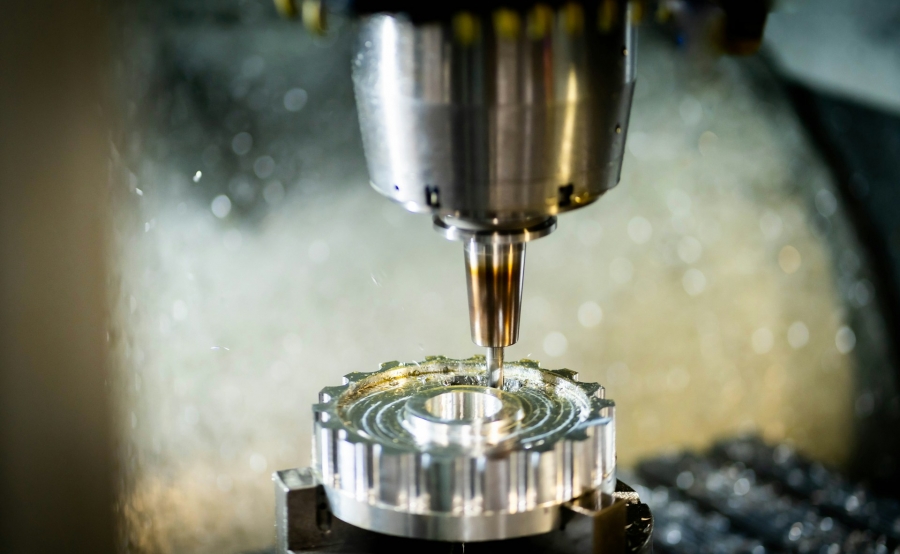
Buying CNC equipment on the secondary market is one of the fastest ways to add capacity without breaking your budget. The catch is that a machining center or turning center can hide a lot of expensive problems behind a shiny exterior and a quick video. A careful inspection protects your cash, your uptime, and your part quality before you sign anything.
When we buy and sell pre-owned CNC machinery at Allset Machinery, we see the same issues pop up again and again. Hidden spindle damage, worn ways, noisy bearings, tired servo drives, and controls that are one software glitch away from downtime can all turn a bargain into a headache. Skipping a structured evaluation means gambling with your ROI and your production schedule.
Pre-owned CNC machines are still a smart investment when they come from a reputable source that welcomes questions and on-site review. A good dealer will allow you to see the machine under power, review documentation, and, when possible, run test cuts. That level of transparency is your first sign you are on the right track when you source CNC machinery on the used market.
Prepare Before You Visit: Research, Records, and Red Flags
Walking into an inspection without homework is like programming a complex part without a print. Before you set foot on a shop floor, make sure the machine you are considering actually fits your work. At a minimum, confirm the basics against your production needs:
Once the fundamentals match, ask the seller for records in advance. Useful documents and data include:
If the seller cannot provide anything, that does not automatically kill the deal. However, it should push you to inspect even more carefully and budget conservatively, since missing documentation increases the chance of unknown wear or deferred maintenance.
Red flags often show up early in listings or conversations. Watch for “as-is, not under power” with no explanation, very vague service history or “no idea, we just ran it,” missing guards, covers, or major components in photos, or pricing that is far below similar machines with no clear reason. Those red flags do not always mean the machine is bad, but they do mean you should slow down and ask more detailed questions before committing to a used CNC purchase.
Once you are standing in front of the machine, start with what you can see and hear. Mechanical condition is the core of any used CNC asset, and a few simple checks go a long way.
Begin with a visual walkaround, paying attention to general cleanliness, oil or coolant leaks under the machine or inside panels, rust on exposed metal, tables, or chucks, crash marks on the table, turret, or spindle nose, and worn or torn way covers or missing protective panels. These clues help you judge how the machine was maintained day to day and whether it has been through obvious abuse.
Next, run basic mechanical tests with the machine under power. Warm up the spindle from low RPM to higher speeds and listen for growling, knocking, or whining. Jog each axis through the full travel and watch for tight spots or hesitations, then run rapid traverse and feed moves at different rates to confirm smooth motion. On machining centers, cycle tool changes multiple times to see if the carousel or arm hesitates, since intermittent tool-change issues can quickly become production-stopping problems.
To spot wear that will affect accuracy, focus on the symptoms you can observe during movement and cutting. Backlash in ball screws may show up as overshooting or lag when you reverse direction, while visible scoring or uneven wear on ways or linear guides points to mechanical wear that can translate directly into taper, out-of-round bores, or poor surface finish. Inconsistent tool changes, dropped tools, or misalignment at the spindle can signal problems in the ATC mechanism or alignment, and chatter or vibration marks on test cuts can indicate issues ranging from spindle bearings to loose gibs or other rigidity problems.
All of these issues can often be repaired, but repairs cost money and time. When you evaluate a used machining center or lathe, you want a clear idea whether you are paying for a production-ready asset or a rebuilding project that will sit waiting for parts.
A solid mechanical platform is not enough if the control and electrical systems are a mess. Modern CNCs are as much electronics as iron, so give the brains of the machine just as much attention as the hardware.
Start at the control and confirm the basics work as intended:
If the seller allows it, open the electrical cabinet. You do not have to be an electrician to spot obvious problems. Wiring should be neat, with intact labels and secured harnesses, and components should be relatively clean rather than coated in heavy oil, chips, or dust. Be cautious of obvious DIY fixes such as twisted wires, electrical tape, or random car relays, and confirm fans and filters are not completely clogged, since heat and contamination are common causes of intermittent electrical failures.
Safety systems are also worth your attention, not just for compliance, but as a window into how the machine was treated. Look for intact door guards and windows, interlocks that actually stop motion when opened, functional emergency stops in all required positions, present and legible warning labels, and no evidence of bypassed or taped-down safety switches. If someone cut corners on safety, it is a strong hint they may have cut corners elsewhere too.
Whenever possible, run a test program. Nothing tells you more about a CNC than actually cutting material on it.
During test cuts, pay attention to:
If test parts look good and repeat consistently, you are much closer to a confident decision.
Next, look at what is included with the machine. Tooling and accessories can add significant value and reduce your setup costs, especially when they match your typical jobs:
Sometimes a slightly higher-priced unit that comes loaded with useful tooling is a better investment than a bare machine at a lower sticker. Those extras directly affect what it really costs to put a used CNC machine into productive service.
Finally, build a simple total cost of ownership picture by adding up:
Comparing on total investment instead of only the advertised price keeps you from chasing "deals" that are not actually economical in the long run.
If you are ready to upgrade your shop, we can help you choose the right machines for your workload, budget, and timeline. Explore our current inventory and buy CNC equipment that is inspected, accurately represented, and ready to work. At Allset Machinery, we work directly with you to answer technical questions, discuss options, and coordinate logistics. If you would like personalized guidance or a quote, please contact us.